
Gym Headphone Safety: Volume, Awareness, and Equipment Clearance
On this page
- Quick answer
- Follow the gym and class rules
- Set a useful, moderate volume
- Preserve situational awareness
- Secure the phone and accessories
- Keep cables away from machinery
- Stop before adjusting audio
- Communicate in shared spaces
- Clean and maintain headphones
- Limits and important notes
- Frequently asked questions
- Sources and evidence notes
- Conclusion and next steps
Quick answer
At the gym, set headphone volume low enough to hear alarms, staff directions, spotters, and nearby movement. Use only where facility and class rules allow. Secure the phone and any cable so nothing can catch on handles, belts, plates, or limbs. Pause equipment before adjusting audio. Remove an earbud when crossing busy areas or speaking with someone, avoid noise cancellation when awareness is essential, and stop listening if you notice ringing, pain, muffled hearing, or dizziness.

Planet Fitness / planet fitness peoria az
7565 W Peoria Ave, Peoria, AZ 85345, USA
Follow the gym and class rules
Some classes, pools, courts, climbing areas, and supervised training sessions restrict headphones because participants need to hear instruction or warnings. Staff may also prohibit devices around particular machinery.
Ask before the session begins. Removing headphones when a coach explains setup or safety is part of participating, not merely a courtesy.

Hal Welsh East Area Family YMCA / ymca east syracuse
FayettevilleOnondaga CountyNew York
200 Towne Dr, Fayetteville, NY 13066, USA
Set a useful, moderate volume
Background music and machine noise can tempt people to increase volume. Choose a level that does not block ordinary nearby speech and use device exposure features as reminders, while recognizing that settings and fit vary.
Do not treat a volume percentage as a medical safety guarantee. Take listening breaks and seek hearing care for persistent ringing, pain, reduced hearing, or sound sensitivity.
Preserve situational awareness
- Hear alarms, whistles, and staff announcements.
- Notice people carrying weights or moving behind you.
- Respond when a spotter or partner speaks.
- Remove an earbud at crossings, stairs, and crowded racks.
- Avoid immersive noise cancellation where warnings matter.
- Look before stepping backward or leaving a station.
Secure the phone and accessories
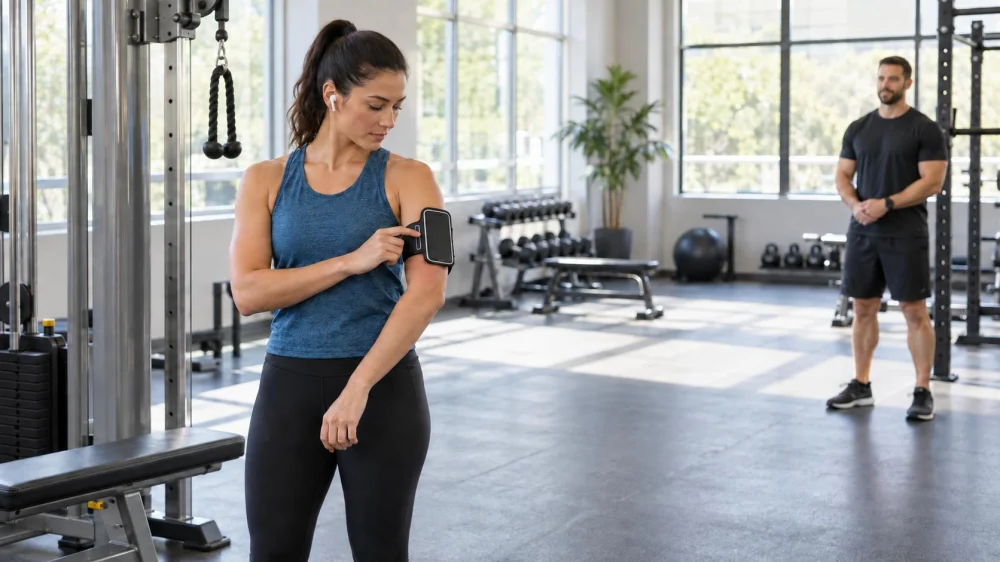
Use a fitted pocket, waist belt, armband, or other stable carrier that does not interfere with movement or equipment. Do not balance a phone on a treadmill console edge, bench, plate stack, or floor.
Wireless earbuds should fit securely without repeated adjustment. Keep charging cases and loose accessories out of aisles and moving parts.
Keep cables away from machinery
If using wired headphones, route the cable inside clothing or secure it with enough slack for the exercise but no loops that can snag. Inspect for damaged insulation or connectors.
Do not use cables around rotating, sliding, or reciprocating components when they cannot be kept clear. Switch to another audio method or exercise without headphones.
Stop before adjusting audio
- Finish the repetition or slow and stop the machine safely.
- Set weights or equipment in the rest position.
- Move hands away from belts, pulleys, fans, and hinges.
- Adjust the device while stable.
- Restore the phone to its secure carrier.
- Check the area before restarting.
Communicate in shared spaces
Keep music private and avoid speakers unless the facility permits them. Make eye contact and remove an earbud when sharing a bench, rack, lane, or station. A raised hand or moving lips may indicate a safety message, not casual interruption.
Do not record other members or conversations through a wearable or phone without permission and compliance with gym rules and law.
Clean and maintain headphones
Follow the maker's instructions for wiping sweat and cleaning ear tips. Do not share earbuds, submerge electronics unless rated for it, or apply liquid directly to openings. Let devices dry before charging.
Inspect cables, ear tips, cases, and batteries. Stop using swollen, overheating, cracked, or wet electronics and follow appropriate battery disposal guidance.
Limits and important notes
Hearing risk depends on sound level, duration, fit, environment, and individual factors. Gym noise and consumer device settings make simple universal limits unreliable.
This is general fitness and device-use guidance, not medical or hearing advice. Facility policy, equipment instructions, headphone maker, trainer, and healthcare professional govern specific circumstances.
Frequently asked questions
Is one earbud always safe?
It can improve awareness but does not guarantee it. Environment, volume, task, and rules still matter.
Can I wear headphones on a treadmill?
If allowed, secure the device, use the safety key, keep volume moderate, and stop the belt before adjustments.
Should I use noise cancellation?
Avoid it where alarms, instructions, spotters, traffic, or nearby equipment must be heard.
Sources and evidence notes
This article applies general hearing-conservation, situational-awareness, equipment-clearance, electronics-care, privacy, and gym-courtesy principles. Facility rules, exercise equipment instructions, device maker guidance, trainers, and healthcare professionals determine specific use.
Conclusion and next steps
Choose secure headphones, a stable phone carrier, and moderate volume before entering the workout area. Remove an earbud for instruction and busy crossings, stop equipment before touching controls, and clean and dry the devices after use. Awareness remains part of every repetition.
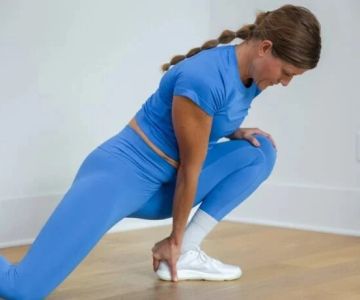
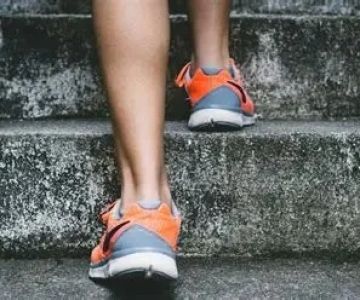

 The Megaformer Studio4.0 (86 reviews)
 Sculpt Club5.0 (10 reviews)
 WundaBar Pilates- Studio City5.0 (39 reviews)
 YogaSix Studio City4.0 (220 reviews)
 PhysiCal EMS Training studio5.0 (18 reviews)
 Tribe Pilates5.0 (24 reviews)
 Gym Towel and Mat Hygiene: Use, Carry, and Wash
 Fitness Class Cancellation: Confirm Credits and Terms
 Gym Locker Room Plan: Privacy, Security, and Hygiene
 Fitness Class Class Position: Choose Space for Safe Learning
 Fitness Class Practice Notes: Record One Useful Change at a Time
 Workout Rest Timer: Choose Intervals Without Rushing